I. Say Goodbye to Blind Operation: Why a Standard Workflow Is Your First Productivity Tool and Safety Officer
Before you even touch the cold, precision-engineered metal casing of a laser cutting machine, you must first construct an unbreakable mental firewall—your Standard Operating Procedure (SOP). This is far from mere bureaucracy; it is the only path that takes you from chaos to control, from novice to expert. It serves both as the engine driving your output and the shield protecting your life.
1.1 Pain Points You’ll Recognize: Are These Three Operational Nightmares Holding You Back?
If you’ve ever felt a flicker of anxiety or frustration while operating, know that you’re far from alone. The vast majority of problems trace back to one root cause: the absence of a clear process.
Safety Anxiety: Each time you hit the start button, you’re relying on luck. Do you worry that an invisible laser beam might stray, causing irreversible retinal damage? Do you fear the sudden burst of flames when cutting acrylic? Or dread that an incorrect shutdown sequence could destroy expensive core components? This constant sense of danger—like a sword hanging over your head—is born from fear of unknown risks.
Efficiency Black Hole: Endless test cuts and parameter tweaks consume valuable time and raw materials that could have become finished products. The scrap bin overflowing with failed pieces isn’t just a drain on costs—it’s a relentless blow to your confidence. Problems that a standardized workflow could solve in a single pass end up eating away at your productivity.
Quality Lottery: One day your cut edges are smooth as glass; the next, they’re rough, slag-ridden, and scorched. Such wild fluctuations in quality turn every delivery into a gamble, dependent on luck—a fatal flaw in professional manufacturing that quietly erodes client trust.
1.2 The Value Promise: Four Core Benefits of a Standard Workflow
When you commit to a rigorously refined standard workflow, you instantly gain four invaluable assets:
Safety Assurance: A scientifically designed workflow doubles as a risk management plan. It converts 99% of preventable accidents caused by negligence or misuse from a probability into a certainty of "zero."
Efficiency Boost: When every action becomes muscle memory, you’re freed from the hesitation of “what should I do next?” Established best practices eliminate wasted thought and redundant movements, driving exponential growth in production efficiency.
Consistent Quality: Standardization means repeatability. Following a unified set of parameter settings, calibration methods, and monitoring checkpoints ensures each cut approaches the ideal quality standard—removing “luck” from your manufacturing vocabulary.
Extended Equipment Life: A laser cutter is a precision investment. Proper startup warm-up, routine cleaning, and controlled cooldown procedures actively protect lenses, laser sources, and motion systems from irreversible damage caused by rough handling—maximizing both service life and ROI.
1.3 This Guide’s Signature Approach: Introducing “Safety Red Lines” and “Expert Tips”
To make this guide a practical tool you can rely on, we’ve broken away from the dull, manual-style delivery and introduced two key perspectives:
[Innovation Perspective 1] Safety Red Lines: Clearly marked boundaries that are absolutely non-negotiable during operation. These are ironclad rules, not flexible suggestions. Crossing them even once can trigger catastrophic consequences.
Expert Tips: Insights distilled from decades of hands-on experience by seasoned technicians. These methods and observations—often absent from official manuals—can help you sidestep hidden pitfalls and elevate your craftsmanship when it matters most.
II. Overview of Laser Cutting Technology
2.1 Working Principle of Laser Cutting Machines
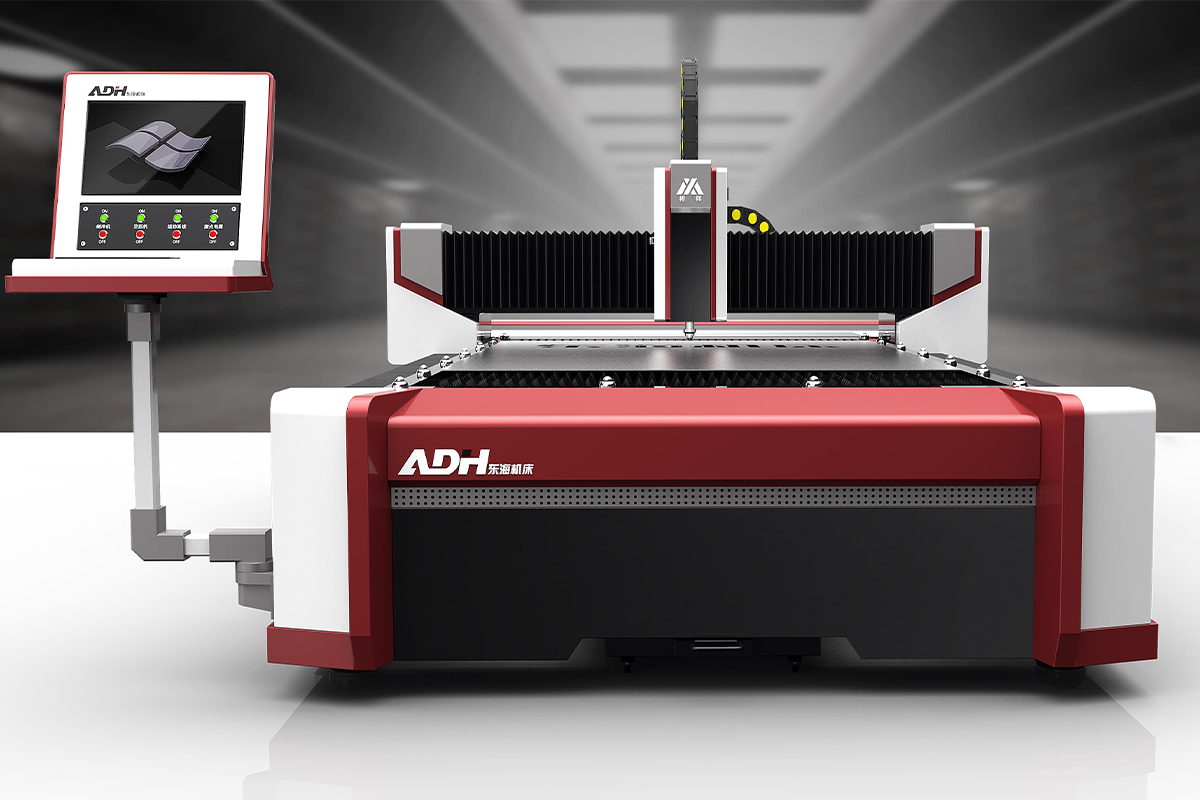
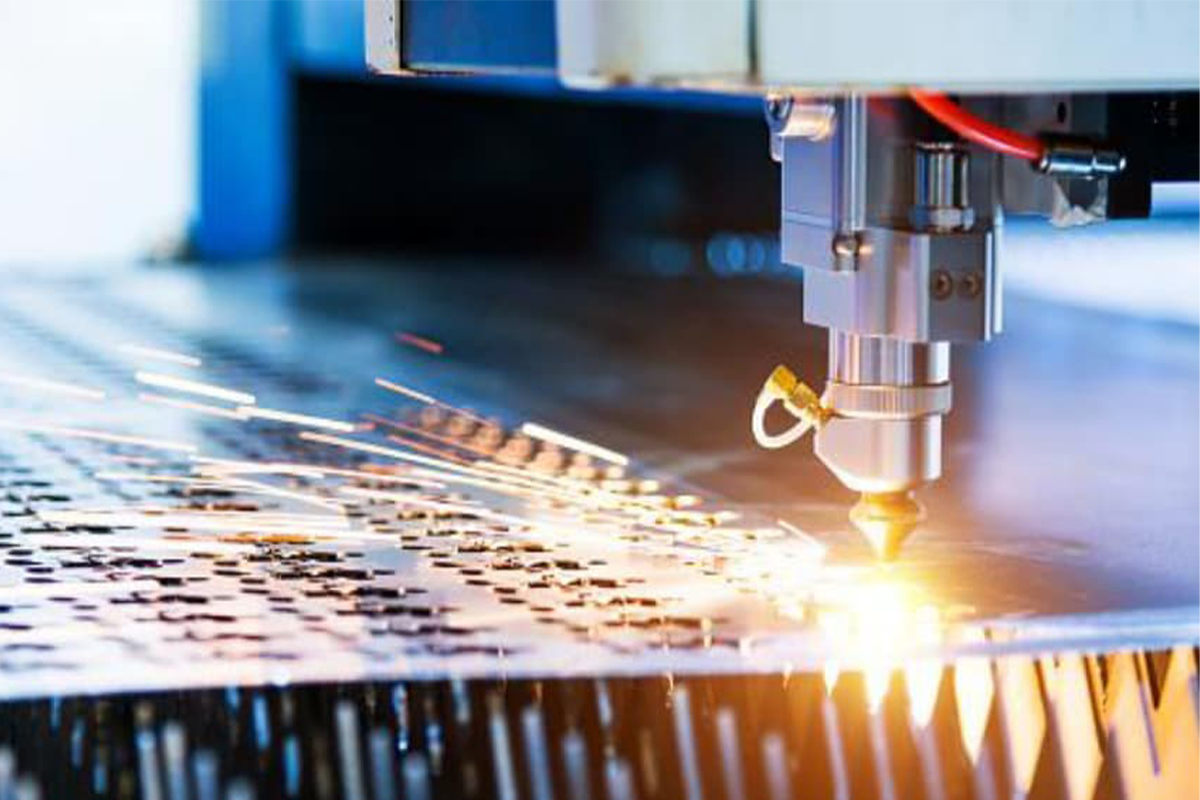
Laser cutting machines use a focused, high-energy laser beam to irradiate the surface of a material, causing it to melt, vaporize, or reach its ignition point almost instantly. At the same time, high-pressure assist gases blow away the molten residue, creating precise cuts. This process is not only highly efficient but also non-contact, making it suitable for cutting a wide range of materials and accommodating complex shapes.
The cutting process can be summarized as follows:
(1) Laser Generation
The laser cutting machine first generates a high-energy laser beam via a laser source. Common types of lasers include CO₂ lasers, fiber lasers, and Nd:YAG lasers. Laser generation relies on an external pump source (such as electrical energy) to excite the laser medium (such as gas, crystal, or fiber), causing it to emit a laser beam of a specific wavelength.
(2) Laser Focusing
The generated laser is then directed and focused using an optical system, which may include mirrors, lenses, and collimators. This process concentrates the beam into a minute spot with extremely high power density.
(3) Material Heating and Cutting
The focused laser beam is directed onto the material’s surface. Because of the beam’s high energy density, the material is rapidly heated to its melting or vaporization point.
For metals, the laser often initiates a combustion process;
For non-metals, the material may melt or vaporize directly due to thermal effects.
As the laser moves along the material, the cutting path is gradually formed, ultimately achieving the desired shape.
(4) Assist Gas
During cutting, assist gases such as nitrogen, oxygen, or inert gases are typically used to help remove molten material, prevent oxidation and unwanted chemical reactions, and improve both cutting speed and quality. High-pressure gas also blows molten metal away from the cut, resulting in clean, precise edges.
(5) CNC Control
Laser cutting machines are generally equipped with Computer Numerical Control (CNC) systems, which precisely control the movement of the cutting head according to preset paths and parameters. The CNC system reads CAD/CAM files, converting designs into specific cutting instructions to ensure accuracy and consistency.
(6) Cooling and Maintenance
To prevent the laser generator from overheating, a cooling system—such as a chiller—is required to keep the equipment operating normally during cutting.
Additionally, cut materials and fumes may need to be collected and filtered through dust extraction systems to maintain a safe and clean working environment.
2.2 Common Application Areas for Laser Cutting Machines
Laser cutting machines have a wide range of core applications, which can be categorized as follows:
Core Area
Application
Examples
Metal Processing
Sheet Metal Processing
Cutting steel plates, stainless steel, aluminum, copper, etc., for manufacturing chassis cabinets, elevator panels, shelves, metal components.
Automotive Manufacturing
Cutting car body coverings, structural parts, exhaust pipes, brackets, etc.
Electronics / Appliances
Precision Cutting
Circuit boards, electronic component casings, heat sinks, connectors, internal metal parts of phones/computers, household appliance parts (e.g., washing machine drums, refrigerator panels).
Textiles / Apparel / Footwear
Efficient Fabric Cutting
Cutting fabrics, leather (clothing, shoe uppers, handbags, car interiors), achieving complex designs and seamless edges to prevent fraying.
Ⅲ. The Pre-Operation Chapter: Preparations and Checks That Prevent 90% of Failures
Before pressing that "Start" button, a thorough set of preparations and checks separates professional operation from casual tinkering. The goal at this stage is to systematically eliminate every hidden risk—whether from equipment, environment, or human factors—before they emerge. This “pre-operation” checklist will prevent the vast majority of faults and accidents during cutting, serving as your first stronghold on the path to zero-error operation.
3.1 Personal Protective Equipment (PPE): Your Protective Armor
PPE is not a formality—it’s the final and most critical barrier protecting you from physical and chemical harm. Underestimating its importance is a direct betrayal of your own safety.
Essential Checklist:
Laser-Specific Safety Goggles: This is non-negotiable. Different laser types (such as CO₂ or fiber) emit at different wavelengths, and you must use goggles designed to block that exact wavelength effectively.
Cut-Resistant/Heat-Resistant Gloves: Not for use while operating the machine, but essential when handling sharp metal sheets or freshly cut pieces that may still be hot.
Flame-Resistant Workwear: Pure cotton or specialized flame-retardant fabrics can prevent clothing ignition from stray sparks. Never wear synthetic fibers that melt and bond to the skin when exposed to heat.
[Safety Red Lines]
Never substitute regular sunglasses or prescription glasses for professional laser safety goggles. Sunglasses are designed to block UV rays and offer almost no protection against specific laser wavelengths. Direct or reflected laser beams—even seemingly faint stray light—can cause irreversible retinal burns in milliseconds.
Assess entanglement hazards before wearing gloves during operation. When working near moving parts or rotating machinery, gloves greatly increase the risk of being pulled in—potentially causing severe injury to fingers or arms. OSHA explicitly advises against glove use in situations with entanglement risk.
Expert Tip:
Know and check your goggles’ OD rating. Professional laser safety goggles are marked with an Optical Density (OD) value—a logarithmic measure of light attenuation. An OD 4 lens reduces the intensity of that wavelength to one ten-thousandth. Ensure your goggles’ OD rating and wavelength range fully cover your laser type. For example, CO₂ lasers typically operate at 10,600 nanometers (nm), while fiber lasers run around 1,060–1,090 nm. This is the foundation of scientific protection.
3.2 The “Three-Dimensional” Equipment and Environment Checklist
Treat your machine and surrounding workspace as an integrated system, and carry out a thorough, multi-dimensional inspection—a hallmark of true professional discipline.
Dimension One: Auxiliary Systems Check (Cooling, Gas Supply, Ventilation)
Cooling System: Check the water level in the tank or chiller to ensure it’s sufficient, and confirm that the water temperature is below the manufacturer’s recommended limit (typically under 30°C). Once the machine is powered on, watch for smooth water flow and any flow alarms. Think of water as the “lifeblood” of the laser tube—overheating can cause a sudden drop in output power or even permanently damage core components.
Gas Supply System: Before cutting, verify the type of gas connected based on the material (oxygen O₂ for carbon steel, nitrogen N₂ for stainless steel, compressed air for non-metal materials) and check that the pressure gauge aligns with the requirements in your parameter library. Using the wrong gas can ruin the workpiece and lead to waste or safety hazards.
Exhaust System: Switch on the exhaust fan and test suction at the cutting bed surface with your hand or a tissue. Make sure the fan is running strongly and the ductwork is clear of blockages. Poor ventilation can fill the workshop with harmful fumes, contaminate optical lenses, and dramatically raise the risk of fire.
Second Dimension: Mechanical System Check (Optical Path & Drive)
Optical Lens: Open the machine cover and, with the help of a flashlight, closely inspect the protective lens beneath the laser head for clarity and cleanliness. Any haze, spots, or cracks mean it’s time for immediate cleaning or replacement. This is a commonly overlooked yet critical factor that directly impacts cutting performance.
Drive System: With the machine powered but servo motors unlocked, gently move the X-axis beam and Y-axis guide rails by hand. Listen carefully for unusual friction, sticking, or odd noises. Also check for debris left on rails or racks after cutting. This is essentially a free “diagnostic check” for your equipment.
Third Dimension: Environmental Safety Check
Clear the workspace so that within one meter of the machine there are no flammable items (such as cardboard boxes, alcohol, or excess sheet material) or explosives.
Locate the CO₂ fire extinguisher, ensure its pressure gauge is in the green zone, and confirm it’s easy to grab with no obstructions in front.
3.3 Blueprint and Material Verification: Preventing Waste from the Source
Before wasting expensive sheet material and valuable time, the final checkpoint is a meticulous verification of both files and materials.
Blueprint Review:
After importing DXF, AI, or other vector files into the cutting software, use its preview or inspection functions to examine the design thoroughly. Fix those “devil in the details” issues: overlapping lines (which can cause double cutting and overheating), tiny breaks (which stop cuts from going through), and shapes that aren’t fully closed. A clean file is the absolute prerequisite for efficient cutting.
Material Verification:
Measure the actual thickness of the material to be cut with calipers and compare it to the thickness set in the program. Even a sheet labeled as 3mm may vary between 2.8mm and 3.2mm. This seemingly minor difference—often overlooked—can completely invalidate an otherwise perfect set of cutting parameters.
Double-check that the material type matches the program settings. Mistaking stainless steel for carbon steel and cutting it with oxygen will yield not a clean, shiny edge but a rough, blackened, oxide-coated scrap.
Expert Tip:
A “test cut” is the final, most cost-effective safeguard. For new batches of material or high-value workpieces, always perform a small test cut in the scrap area before full production (e.g., cutting a 1x1cm square). This confirms parameter accuracy and can reveal hidden issues such as optical misalignment or incorrect focus. This step takes less than a minute but can save an entire sheet from being scrapped.
Ⅳ. Standard Operating Procedure: Six-Step Guide
4.1 Design and File Preparation
Design and file preparation form the crucial starting point of the entire manufacturing process, determining both feasibility and efficiency of subsequent steps. Two primary tools are used in this stage:
(1) CAD Drawing and Design
Utilize professional Computer-Aided Design (CAD) software to create 2D or 3D models of the parts. Detailed specifications, complex shapes, and intricate patterns are all defined at this stage.
(2) CAM Programming
Import the CAD models into Computer-Aided Manufacturing (CAM) software (such as Mastercam or PowerMill) to generate machine-readable instructions—most commonly, G-code.
This code precisely controls the movements of the laser cutting head, ensuring the final cut matches the design perfectly.
Important considerations for design and file preparation include:
(1) Convert all text to outlines to prevent the CNC laser cutter from misinterpreting fonts;
(2) Ensure all outlines are closed; incomplete paths may cause the laser to stop, resulting in gaps in the final cut;
(3) Remove excess information; the design file should be clean, containing only actual cutting paths and necessary notes;
(4) Scale accurately; incorrect scaling may prevent parts from fitting or functioning as intended;
(5) Check file format and integrity to ensure compatibility with processing equipment—commonly used are G-code or DXF files. Also, verify that the file is complete and free from missing or erroneous toolpaths.
There are three main types of commonly used file formats:
1) Vector files: Vector formats such as SVG, AI, DXF, and DWG are highly recommended, as they can be scaled infinitely without any loss of quality. These formats are ideal for laser cutting and engraving.
2) Bitmap files: Suitable for engraving purposes, bitmap files generally have lower resolutions, typically ranging from 100 to 200 DPI. Common formats include JPEG, PNG, BMP, GIF, and TIFF.
3) Composite files: Formats like PDF and EPS can store both vector and bitmap information. However, attention should be paid to compatibility issues when using these files.
4.2 Material Selection and Preparation
Select materials appropriate for your specific requirements and ensure compatibility with your laser cutting machine. Select materials that meet your project requirements and ensure they are compatible with your laser cutting machine. Common materials for laser cutting fall into three categories:
Special materials: such as glass, ceramics, and rubber, which require specific laser settings.
Metal materials: such as stainless steel, carbon steel, aluminum, copper, and brass.
Non-metal materials: including wood, acrylic, plastic, leather, paper, and fabric.
For metal materials, fiber laser cutters are preferred; for non-metals, a CO2 laser cutter is suitable. Note that materials like PVC release toxic gases when cut by laser and should never be processed this way.
Additionally, confirm that the thickness, dimensions, and flatness of the material meet the cutting standards for your machine to avoid potential damage.
Once you have chosen the material, it’s essential to confirm its condition.
First, ensure the surface is clean—free from oil, dust, mold release agents, tape residue, paint, or other contaminants—to prevent poor cutting results or equipment damage.
Also, check whether coatings or protective films should be retained. If the protective film is incompatible with the machine, it must be removed. Some coatings, such as zinc on galvanized steel, may produce special slags during cutting—carefully consider whether to keep them.
4.3 Parameter Calibration and Focal Adjustment
During actual processing, calibrating parameters and adjusting the focal point are key steps to ensure cutting quality and operational efficiency. These adjustments directly affect cutting precision, smoothness, edge quality, heat-affected zones, and cutting speed.
(1) Laser Power
Laser power determines the intensity of the beam; higher power enables faster cutting and greater thickness.
Excessive power can cause over-melting, rough edges, or material deformation. Insufficient power may result in incomplete cuts or poor edge quality.
Thicker metal generally requires higher laser power, while thin sheets can be cut at lower power to minimize thermal distortion.
The table below provides reference ranges for power adjustment:
Parameter
Fiber 3000
Fiber 4000
Fiber 6000
Fiber 8000
Output Power
3,000 W
4,000 W
6,000 W
8,000 W
Mild Steel (Max Cutting Thickness)
20 mm
20 mm
25 mm
25 mm
Stainless Steel (Max Cutting Thickness)
12 mm
15 mm
30 mm
30 mm
Aluminum (Max Cutting Thickness)
12 mm
20 mm
30 mm
30 mm
Brass (Max Cutting Thickness)
6 mm
8 mm
15 mm
15 mm
Copper (Max Cutting Thickness)
6 mm
8 mm
12 mm
12 mm
(2) Cutting Speed
Adjusting cutting speed is not a standalone process; it must be closely coordinated with other critical factors such as material type, thickness, laser power, focal position, and assist gas.
Higher speeds typically boost productivity, but may compromise edge quality or precision. Conversely, slower speeds can improve cutting quality but negatively impact output.
When adjusting this parameter, five core principles should be followed:
1) Energy Balance Principle
Speed must be matched with laser power to ensure that the energy absorbed per unit length is sufficient to achieve melting or vaporization, without causing excessive heating and its associated drawbacks.
2) Penetration Priority Principle
The primary goal for speed is to guarantee full penetration of the material.
3) Quality Optimization Principle
Once penetration is secured, adjust the speed to optimize the cut surface quality, minimize the heat-affected zone (HAZ), and reduce slag or burr formation.
4) Efficiency Maximization Principle
Aim for the highest achievable speed that still meets quality and safety requirements, thereby maximizing production efficiency.
5) Safety and Stability Principle
Speed settings should prevent material combustion, excessive spatter that could damage lenses or nozzles, or machine vibrations that might affect cutting precision.
The power and speed of a laser cutting machine are closely interrelated. Taking stainless steel as an example:
Power (W)
Cutting Thickness
Speed (mm/s)
500
1mm Stainless Steel
200
700
1mm Stainless Steel
300-400
1000
1mm Stainless Steel
450
1500
1mm Stainless Steel
700
2000
1mm Stainless Steel
550
2400
1mm Stainless Steel
600
3000
1mm Stainless Steel
600
The relationship between speed and power can be estimated using specific formulas.
P = K × T × V
(P: Power in W, T: Thickness in mm, V: Speed in m/min, K: Material coefficient; Steel = 80, Aluminum = 120)
Example for steel cutting:
Parameters: T = 10 mm, V = 2 m/min, K = 80
Calculation: P = 80 × 10 × 2 = 1600W
This empirical formula provides an estimate of required power; for precise values, consult the supplier or refer to the manual.
For a detailed discussion on the relationship between speed and power, refer to the Laser Cutting Machine Guide.
(3) Assist Gas
Assist gas is an essential aspect of the laser cutting process. The three most commonly used assist gases are:
Oxygen (O₂): An active gas that accelerates cutting of thick carbon steel through exothermic reactions, increasing speed but causing oxidized cut edges.
Nitrogen (N₂): An inert gas that prevents oxidation, producing bright, oxide-free edges when cutting stainless steel and aluminum. It is ideal for applications requiring high quality and weldability, but comes at a higher cost.
Compressed Air: The most economical option, with performance falling between oxygen and nitrogen. It results in slightly oxidized edges and is suitable for applications where edge quality is not the highest priority.
For thick carbon steel plates, oxygen is recommended to enhance efficiency and reduce costs; for thin sheets, air or nitrogen can be considered to further improve efficiency and control expenses.
The table below summarizes the recommended assist gases and pressures for cutting various common materials:
Piercing (MPa)
Thin Carbon Steel O2 Cutting (MPa)
Thick Carbon Steel O2 Cutting (MPa)
Stainless Steel N2 Cutting (MPa)
Aluminum Air Cutting (MPa)
Acrylic Resin Clean Cutting (MPa)
0.02-0.05
0.1-0.3
0.05-0.1
0.6-1.5
0.6-1.0
<0.01
(4) Pulse Frequency
Pulse frequency refers to the number of pulses emitted by the laser per second, measured in hertz (Hz). It determines how the laser interacts with the material in terms of timing and energy distribution.
If the frequency is too high, it may cause pulse waveform distortion and prevent the servo driver from responding correctly, which can negatively affect both cutting speed and precision.
Conversely, if the frequency is too low, it may result in excessively slow cutting speeds, reducing production efficiency.
Recommendations for material and thickness settings:
Frequency Range
Application
100-500Hz
Thick plate cutting
500-2000Hz
Medium thick plate
>2000Hz
Thin plate fine cutting
(5) Focal Length Adjustment
Precise focusing is essential for achieving optimal cutting results. Focal length can be adjusted either manually or automatically.
Manual focusing is mainly used with traditional laser cutting machines. The operator adjusts the height of the laser head and observes the size of the laser spot—the optimal focal length is reached when the spot is at its smallest.
Automatic focusing is standard on advanced laser cutting machines, where a motor controls the vertical movement of the focusing lens to change the focal point. Lowering the focusing lens brings the focal point down, and raising it moves the focal point up.
The advent of automatic focusing has significantly reduced setup time and increased cutting accuracy.
Depending on the material and process requirements, there are three common focal point positions:
Focus Position
Applicable Scenarios
Features and Effects
Workpiece Surface (0 Focal Length)
General materials and thicknesses
Smooth cutting surface, wide applicability
Above the Workpiece (Negative Focal Length)
Thick plate cutting
Large cutting width, fast piercing, but rougher cutting surface
Inside the Workpiece (Positive Focal Length)
Hard materials, high-precision requirements
Wider cutting surface, high airflow demand, slightly longer piercing time
For detailed product information, please visit our Brochures.
4.4 Testing and Preview
Before commencing full-scale production, it is essential to conduct a test cut using the same material as the final workpiece.
(1) Purpose of Test Cutting
The purpose of the test cut is to verify whether parameters such as laser power, cutting speed, and focal distance are appropriate, and to ensure the cutting quality meets the required standards. Based on the test results, fine adjustments can be made to the parameters to guarantee optimal final cutting performance.
(2) Steps for Test Cutting
1) Select the test piece: Choose a test piece made from the same or similar material as the one to be used in actual production.
2) Adjust parameters: Based on the properties of the test material and the design pattern, adjust the cutting head’s position and height, as well as the laser power and cutting speed accordingly.
3) Start the test cut: Activate the CNC laser cutting machine and carry out the test cut along the predefined path.
4) Observe and evaluate: During the test cut, observe the quality and outcome of the cut, focusing on factors such as edge smoothness, surface roughness, and the presence of any heat-affected zones.
5) Assess results: After the test cut is completed, evaluate the cutting quality by measuring the size and shape of the test piece. Compare these results with the CAD design to assess the accuracy and quality of the cutting process.
(3) Inspection Criteria
After completing the test cut, the following aspects generally need to be inspected:
Inspection Item
Specific Standards and Requirements
Testing Methods and Tools
Cutting Quality
Smooth edges with no burrs; flat surface; no cracks, burn marks, melted edges, or other defects.
Visual inspection, tactile inspection.
Dimensional Accuracy
Measure actual dimensions and compare them against the design drawing tolerance requirements to ensure compliance within the allowable range.
Calipers, vernier calipers, micrometers, coordinate measuring machines (CMM), etc.
Surface Roughness
The surface roughness (Ra) value of the cut area meets technical specifications.
Surface roughness measuring instrument.
Cutting Line Straightness
No noticeable bending, ripples, or deformation along the cutting line.
Verify that the current parameters (such as laser power, cutting speed, gas pressure, focal distance, etc.) are optimal and determine whether adjustments are necessary.
Compare test samples and check equipment parameter settings.
Material Compatibility
Ensure the cutting results align with the specific properties of the material (such as metal, plastic, wood) and minimize the impact on material performance (e.g., heat-affected zones).
During repeated cutting operations, ensure all quality indicators (such as dimensions and appearance) remain stable.
Perform at least 3 or more repeated cutting tests and compare results.
Abnormal Situation Check
Ensure there are no abnormal phenomena during the cutting process, such as excessive smoke, unusual sparks, strange odors, or abnormal equipment noises.
Auditory and visual observation during the process.
4.5 Initiating and Monitoring the Cutting Process
Once all previous steps have been completed, the formal cutting phase begins. After confirming the cutting path, finishing all safety checks, securely loading, and consolidating materials, the operator can initiate the cutting process using the machine’s control panel. The steps for starting the laser cutting machine are as follows:
(1) Startup Sequence
Follow the device manual or operating procedures to start the equipment. Begin by powering up the cooling system, then proceed to start the laser and control systems.
(2) Starting the Laser
Press the start button to activate the laser cutting machine. The laser beam is emitted from the cutting head, focused through lenses, and directed onto the material’s surface to begin cutting.
(3) Activating the Control System
Start the control system, which will automatically regulate the laser’s output power, cutting speed, and other parameters according to the programmed instructions.
(4) Powering Up the Drive Unit
Set the drive unit’s selector switch to “Run,” then press both the drive activation and reset buttons.
(5) Homing Operation
Use the “Axis Home” and “Cycle Start” buttons to home the machine’s axes.
(6) Safety Confirmation
Ensure the safety mat is functioning correctly and set up awareness barriers to keep all personnel and equipment clear of the moving gantry.
(7) Loading the Program
Secure the workpiece onto the worktable, then select the desired program to run.
(8) Test Run
Utilize the “Dry Run” and “Cycle Start” buttons to test any new program, ensuring its correctness before commencing full operation.
(9) Starting the Machine
After verifying that all settings are correct, press the “Start” button to begin the laser cutting process.
Operators must continuously monitor the cutting process, addressing any issues promptly:
If there are quality concerns, press the emergency stop to pause or halt the operation;
For suboptimal cutting quality, adjust the laser power, cutting speed, or other parameters as needed;
If any anomalies occur during cutting, immediately stop the operation and inspect the equipment for problems;
If a cut is interrupted, reconnect the cut to resume the process.
4.6 Equipment Cleanup After Completion
Before cleaning, ensure the laser cutting machine is turned off. As per operational guidelines, first stop the current task, switch off the laser and cooling system, and cut the power supply. Confirm all systems have come to a complete stop before proceeding.
(1) Immediate Cleanup After Task Completion
After each laser cutting task, promptly clean the work area and equipment.
This includes removing leftover materials and waste from the worktable, clearing any residues inside the machine and on the honeycomb bed, and returning all tools and accessories to their proper places. Wait for all waste materials to cool completely before disposal to fully eliminate fire hazards.
(2) Daily Maintenance
To maintain equipment performance and prolong its lifespan, daily cleaning is required.
First, use a dry, soft cloth to wipe down the equipment’s exterior and work surface;
Then, regularly and gently clean core optical components such as mirrors and focusing lenses to remove dust;
Additionally, inspect the cooling system periodically to ensure it is clean and functioning properly.
(3) Safety Protocols
All cleaning tasks must be conducted with safety as the top priority. Operators should wear protective gear such as safety goggles and gloves when cleaning any area or component.
Ⅴ. Optimizing Cutting Quality and Efficiency
Achieving the best results with a laser cutting machine requires a delicate balance. It’s not simply about slicing through materials—it’s about delivering superior quality while maximizing productivity. Mastering this balance demands a deep understanding of key process variables and the application of smart operating strategies. This section will explore the critical factors that influence cutting quality and offer practical tips to enhance overall shop efficiency.
5.1 Key Factors for Improving Cutting Quality
High-quality cuts are typically characterized by smooth edges, minimal slag, a narrow heat-affected zone (HAZ), and precise dimensions. Consistently attaining this level of quality requires precise control over several core parameters.
(1) Balancing Power and Speed
The interplay between laser power and cutting speed lies at the heart of effective laser cutting. Together, they determine the energy density delivered to the material. The goal is to apply just the right amount of energy—enough to cleanly melt and eject the material from the kerf, but not so much as to overheat surrounding areas.
Excessive energy (high power/low speed) can cause over-melting, resulting in wide kerfs, excessive slag (re-solidified molten metal at the lower edge), and a large, undesirable heat-affected zone. In extreme cases, this may lead to burning and warping, especially in thin materials.
Insufficient energy (low power/high speed) leads to incomplete penetration, meaning the laser fails to cut through the material entirely. This can also result in rough cut surfaces, as the beam struggles to maintain a stable cutting process.
Identifying the optimal settings for each material type and thickness is essential for achieving clean, slag-free cuts with superior edge quality.
(2) Precision Focus Control
The position of the focal point directly affects the shape and quality of the cut. Its placement above, on, or below the material’s surface must be precisely controlled.
Focus Type
Description and Impact
Zero Focus (On Surface)
Focus is set on the top surface of the material, typically resulting in the narrowest kerf width. Suitable for precision cutting of thin materials.
Positive Focus (Above Surface)
Focus is set slightly above the material surface, leading to a wider kerf. Suitable for specific piercing applications or cases requiring a larger energy distribution.
Negative Focus (Below Surface)
Focus is set inside the material, causing the beam to diverge after the focal point. This creates a wider channel, aiding in thick plate cutting, reducing taper, and achieving straighter cut walls.
Proper focus positioning is crucial for controlling taper, ensuring vertical edges, and achieving a smooth surface finish.
(3) Correct Use of Assist Gas
Assist gases serve two main purposes: expelling molten material from the kerf and interacting with the cutting process itself. Both the choice of gas and its pressure play a vital role in determining cut quality.
1) Oxygen (O₂): Primarily used for cutting carbon steel, oxygen reacts exothermically with iron, adding extra energy to the process. This significantly increases cutting speed. However, it leaves a thin oxide layer on the cut edge, which may need to be removed before subsequent welding or painting.
2) Nitrogen (N₂): As an inert gas, nitrogen is used when oxidation-free, clean cuts are required, particularly for stainless steel, aluminum, and other non-ferrous metals. It employs high pressure to mechanically blow out the molten metal, producing a bright, shiny surface that is ready for welding. Compared to oxygen-cut carbon steel, the cutting speed is usually lower.
3) Compressed Air: For certain materials like thin aluminum or mild steel, compressed air offers a cost-effective alternative. Composed of approximately 78% nitrogen and 21% oxygen, it provides a blend of mechanical force and a mild exothermic reaction.
5.2 Practical Tips to Boost Productivity
(1) Path Optimization and Cutting Sequence Planning
The time spent moving the laser head between cuts is non-productive. Intelligent software can greatly reduce this idle time. By analyzing the geometry of all parts on a sheet, the software calculates the most efficient cutting path and sequence, minimizing the total distance the head travels and thus reducing the overall cycle time.
(2) Material Layout and Nesting
Nesting involves arranging part geometries on the raw material sheet to minimize waste and maximize yield. Advanced nesting software can:
Analyze thousands of combinations to find the optimal layout;
Use techniques like common-line cutting, where adjacent parts share a cutting line, saving both time and material;
Place small parts within the scrap areas inside larger parts.
Effective nesting directly translates into reduced material costs and more sustainable operations.
(3) Layered Cutting Strategies
Cutting thick materials presents unique challenges: the parameters for piercing differ from those for contour cutting. Specialized piercing strategies are essential for a clean start, and typically include:
1) Multi-stage Piercing: Utilizing a series of laser pulses or oscillating movements to gently create a hole without splattering molten material onto the top surface or damaging the nozzle.
2) Separate Parameters: Employing different gas pressures or power settings for the piercing and main cutting cycles.
Once a clean pierce is achieved, the machine switches to optimal cutting parameters to follow the part outline. This layered approach prevents blowouts and ensures high-quality cut initiation.
(4) Building a Parameter Library for Common Materials
Rather than relying on trial and error for every new job, create and maintain a cutting parameter library. This database within the machine’s control software stores proven settings for every material type and thickness you routinely process. A well-managed library ensures:
1) Consistency: All operators achieve the same high-quality results.
2) Speed: Setup times for new jobs are greatly reduced.
3) Less Waste: Fewer scrap parts are produced during setup and testing.
This institutionalized knowledge becomes a valuable asset, streamlining operations and accelerating operator training.
Ⅵ. From Skilled Operator to Expert: Diagnosing Cutting Defects and Advanced Techniques
If you’ve mastered the fundamental processes covered in the first three chapters, congratulations—you’re now a competent operator. But to move from “competent” to “exceptional,” from “skilled” to “expert,” you must develop the ability to solve complex problems and optimize efficiency to perfection. This chapter is your advanced guide to mastery, teaching you how to diagnose cutting defects with the keen insight of a seasoned craftsman and revealing “black magic” techniques that can redefine your performance benchmarks.
A skilled technician never fears defects—every imperfect cut is a Rosetta Stone for reading the machine’s condition and assessing parameter alignment. The table below will help you systematically develop this diagnostic mindset.
Defect (Observe: Symptom)
Possible Causes (Listen/Ask: Analysis)
Diagnosis & Solution (Test: Strategy)
Incomplete cut / Severe slag on edge
Power/Speed mismatch: Insufficient energy to fully melt through material. Focus misalignment: Energy density not concentrated in optimal cutting zone. Low gas pressure: Assist gas unable to clear molten material. Lens/Nozzle contamination: Optical energy loss or disturbed gas flow. Material issue: Rust or coating on plate surface.
Strategy: Reduce speed first (in 10–15% increments), then consider increasing power. Refocus; for thick plates, try lowering the focus slightly. Gradually increase gas pressure while monitoring spark behavior. Pause to clean the protective lens and replace the nozzle. Clean the material surface.
Excess burn at start point / Blow-through
Incorrect piercing parameters: Power too high or duration too long during piercing. No lead-in line: Laser begins directly on the part contour.
Strategy: Use progressive or multi-stage piercing, lowering initial power and time. Add lead-in/lead-out lines in cutting software so piercing occurs in scrap areas.
Corner burn/melt
Excessive deceleration at corners: Speed drops but power remains constant, causing heat buildup. Insufficient gas delay: Gas stops too soon after laser shuts off.
Strategy: Enable “power follows speed” in system parameters. Reduce corner acceleration or add small fillets in software. Set or increase “laser-off delay” or “gas delay.”
Rough cut surface / Diagonal striations
Mechanical vibration: Poor gear rack engagement, loose sliders, or uneven rails. Unstable gas flow: Damaged nozzle or fluctuating pressure. Cutting speed too high: Beyond stable range for given power.
Strategy: Tighten drive components, clean and lubricate rails. Replace nozzle; check for leaks in gas lines. Lower cutting speed while ensuring full penetration; watch for smoother edges.
Heat distortion in thin sheets
Excessive heat input: Power too high or speed too low, enlarging heat-affected zone. Poor cutting path: Heat concentrated in local areas.
Strategy: Use high-power + high-speed combination to cut quickly and minimize heat dwell. Keep parts attached to base sheet using “micro-joints” until all cuts are complete. Optimize path planning with dispersed, jump-style sequences.
6.2 [Innovative Perspective 4] The Economics and Craft of Assist Gas Selection
Choosing an assist gas is not merely a technical decision about matching materials to gases—it’s a strategic choice that impacts cost, efficiency, and the value of the finished product.
Oxygen (O₂) – The Efficiency and Cost Balancer
Process Principle: When cutting carbon steel, oxygen doesn’t just blow away molten slag—it reacts fiercely with the hot iron in an exothermic oxidation process. This reaction releases substantial heat, effectively boosting the laser’s cutting power and enabling high-speed cutting even at lower laser outputs.
Economic Consideration: Oxygen is relatively inexpensive and significantly increases cutting speed, which means higher output per unit time and noticeably lower operating costs. It’s the undisputed cost-performance champion for carbon steel processing.
Quality Trade-off: The cut edge will have a thin, dark oxide layer. For parts that require subsequent welding or painting, this may need to be removed through grinding.
Nitrogen (N₂) – The Spokesperson for Quality and Value
Process Principle: Nitrogen is an inert gas. When cutting stainless steel, aluminum alloys, brass, and similar materials, it is expelled at high pressure purely as a “mechanical force” to blow away molten metal while isolating the cut from air, completely preventing oxidation.
Economic Consideration: Nitrogen is far more expensive than oxygen or air, and achieving optimal results typically requires higher pressures, leading to substantial gas consumption. However, it produces bright, oxidation-free edges ready for direct welding, eliminating the need for post-cut grinding and thereby increasing the product’s added value.
Decision Insight: When the end product demands flawless edge quality or when post-processing costs are high, using nitrogen is a smart investment—trading cost for value.
Compressed Air – The Guerrilla Fighter of Cost Efficiency
Process Principle: Supplied by an air compressor, its main components are nitrogen and oxygen. During cutting, it primarily cools and blows away debris, but the oxygen content still causes slight oxidation, giving the edges a yellowish tint.
Economic Consideration: Costs are virtually zero (aside from electricity). Best suited for non-metal materials like acrylic or wood, as well as some ultra-thin carbon steel and stainless steel sheets where edge color isn’t critical.
Application Scenarios: For prototypes, internal-use components, or cases where the edges will be covered with paint or coating, air cutting is the ultimate low-cost solution.
6.3 Efficiency Boosting Magic: Common-Line Cutting and Path Optimization
Once you start thinking about how to fit more parts onto a single sheet while cutting them faster, you’re tapping into the core driver of production efficiency.
Common-Line Cutting
Definition: Arrange your layout so that the straight edges of two or more parts perfectly align, sharing a single cutting path.
Magic Effect: The benefits can be remarkable. For uniformly arranged rectangular parts, common-line cutting can:
Save Material: Reduced spacing between parts can improve sheet utilization by 5–15%.
Reduce Time: Paths that would normally require two cuts now only need one, and idle travel distances are greatly reduced—overall processing time can drop by 20% or more.
Decrease Piercing Operations: Each piercing consumes time; common-line cutting significantly cuts down the total number of piercings.
Expert Tip: While highly effective, be cautious when cutting thick plates or heat-sensitive materials, as concentrated heat input can cause slight edge deformation.
Path Optimization
Core Concept: Total laser cutting time = cutting time + idle travel time. Most focus only on the former, but seasoned operators target efficiency gains in the latter. Path optimization uses intelligent algorithms to plan the laser head’s movement so that non-cutting travel is minimized.
Implementation: Modern cutting software (such as CypCut, Radan) comes with powerful built-in path optimization features. Key principles to master include:
Proximity Principle: After completing one shape, automatically move to the nearest next shape for cutting.
Inside Before Outside: Always cut holes and small internal shapes before the outer contour. This prevents small parts from falling or shifting once the outer cut is complete, which could cause internal cut failures.
Grouping and Sequencing: Intelligently group parts on the sheet and plan the shortest travel paths between groups.
Golden Rule: Remember, every second the laser head spends moving in the air is pure cost. Extreme path optimization is the art of shrinking that cost to its absolute minimum.
Ⅶ. Training and Standardization System for New Operators
Training new operators is a crucial part of ensuring production efficiency, product quality, and safe operation. Effective training not only helps new employees quickly adapt to their work environment but also significantly reduces production accidents and quality issues caused by operational errors.
7.1 Training Content
(1) Basic Knowledge Training
Operators must understand the fundamentals of laser cutting, including how lasers are generated (such as CO₂ lasers and fiber lasers), the structure of the optical path system, and the function of focusing lenses. They should also be familiar with the equipment’s structural components, such as the control system, drive mechanism, and cooling system, to gain a comprehensive understanding of the machine’s working principles.
(2) Operational Skills Training
Operators should master the full operation process, including startup, shutdown, parameter configuration, importing graphics, and executing cuts. They must also acquire routine maintenance skills, such as cleaning lenses, adjusting the laser head, and basic troubleshooting, like resolving software errors, to ensure stable machine performance.
(3) Safety Training
Safety is paramount in laser cutting operations. Operators must recognize potential hazards such as laser radiation, high temperatures, and gas leaks, and master the necessary protective measures, including wearing safety goggles, fire-resistant gloves, face shields, and respirators, to prevent accidental injuries during operation.
(4) Software and Programming Training
Operators should be proficient in the basic functions of CAD/CAM software, including graphic design, path optimization, and parameter setting. Familiarity with the machine’s control system, including DSP panels, automatic modes, and safety locks, is also required to enhance both cutting efficiency and operational safety.
(5) Materials and Process Training
For different materials, such as metals, acrylic, and wood, operators need to understand the corresponding parameter settings and process optimization methods to achieve high-quality cuts. Mastering material properties and process adjustments is key to boosting production efficiency.
(6) Emergency Response and Troubleshooting
Operators should be equipped with emergency response skills, including emergency shutdown procedures, fire extinguisher use, and burn first aid. In addition, they must be able to diagnose basic faults, such as identifying cutting quality issues, misalignment, or inconsistent laser beams, and resolve them promptly to maintain normal operation.
7.2 Standardization of Operating Procedures
Establishing standardized operating procedures for operators helps minimize human error, streamline processes, and ensure consistent quality.
The table below outlines a sample standardized workflow, which should be tailored to the specific conditions of each production site.
Step-by-Step Process
Key Actions
Key Points Explanation
Design Preparation
CAD drafting → CAM conversion to G-code
Ensure closed contours, remove redundancies, convert text to outlines, check format compatibility.
Material Selection
Match laser type with material
Avoid cutting PVC (toxic fumes); clean material surface; confirm compatibility of protective film.
Parameter Calibration
Adjust power/speed/gas/focus
Match power to material thickness; select gas based on material (O₂/N₂/air); set focus position according to thickness.
Test Preview
Perform test cut on sample of the same material
Check cut-through quality, slag residue, and edge finish; adjust parameters until results are satisfactory.
Cutting Monitoring
Start cutting and monitor throughout the process
Observe flame, smoke, and abnormal noise; coordinate manual and automated systems.
Cleanup and Maintenance
Remove waste → clean → shut down
Clean work table and slag tray; inspect nozzle and lenses; follow standardized shutdown procedures.
Ⅷ. Conclusion
In summary, mastering the essentials of operating a laser cutting machine hinges on thoroughly understanding and meticulously following a standardized process composed of six core steps. This workflow spans from design and file preparation, material selection and securing, equipment startup and parameter configuration, accurate positioning and calibration, through to the cutting execution with real-time monitoring, and concludes with post-operation finishing and follow-up procedures. Together, these steps establish a scientific, efficient, and tightly controlled operational cycle.
Every operator should regard these six steps as the fundamental guidelines for daily work. Through continual practice, a strong commitment to safety protocols, and ongoing equipment maintenance, operators can not only master the laser cutting machine but also turn it into a powerful tool for creativity and productivity, steadily achieving goals of safety, efficiency, and premium quality in production.
This is not only an advancement in technical skill, but also a genuine reflection of professional competence and responsibility. For further inquiries about optimizing your operational workflow or to explore advanced equipment solutions, please do not hesitate to contact us.
Looking for Machines?
If you're looking for sheet metal fabrication machines, then you've come to the right place!
Not sure which machine is right for your sheet metal product? Let our knowledgeable sales team guide you in selecting the most suitable solution for your needs.